
A walkthrough of the real application
One council meeting, from the roster to the certificate.
A district council meeting in 14 screens: the credentials chair’s week before it, the member’s phone during it, and the record that is left the morning after. Every image below is captured from the running application, not drawn.
What this replaces
A district council meeting today runs on Eventbrite for registration, a spreadsheet for credentials, and ElectionBuddy for the vote — three systems that have no idea the other two exist, reconciled by hand by a volunteer on the weekend before. Red Vote is those three jobs in one record, and it is the record that makes the result defensible when somebody asks.
Scroll sideways to see the whole screen.
Act one
The week before
The credentials chair has to arrive at the meeting with a defensible list of who may vote and how many votes each of them carries. This is the part that costs a volunteer a weekend.
Three meetings, three states
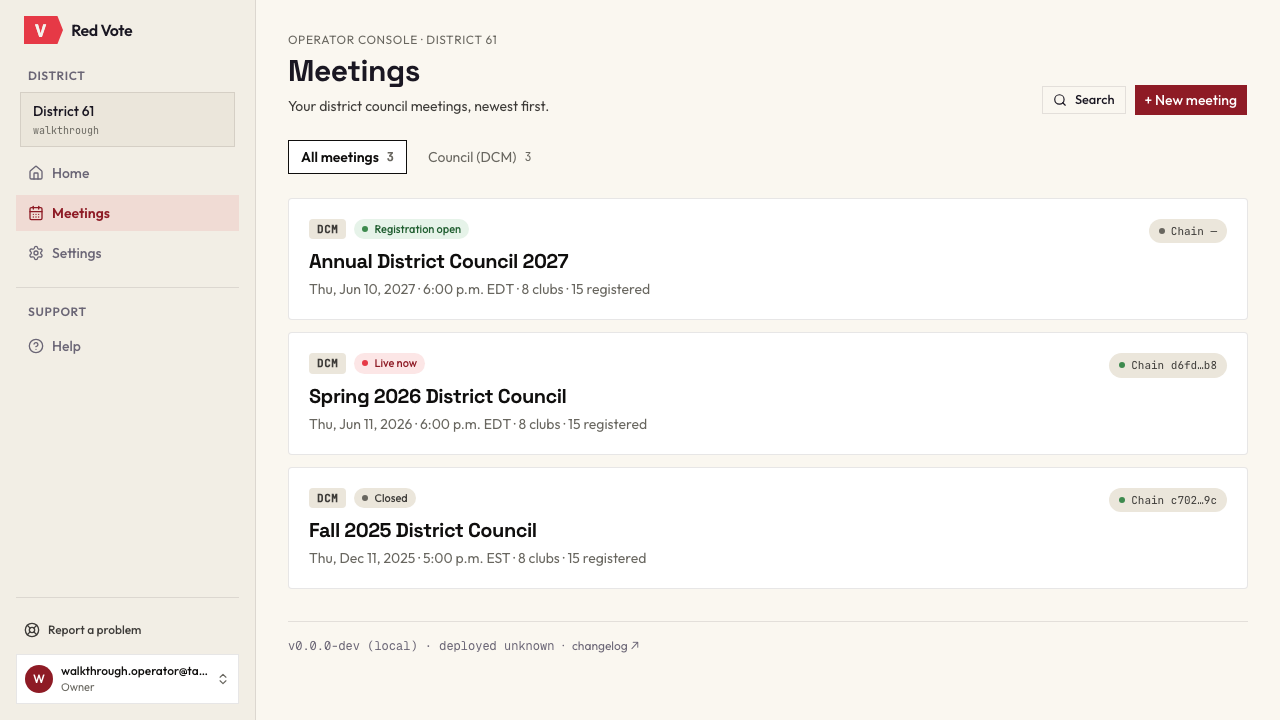
Council and executive meetings on one list, each with the current root of its own audit chain beside it. One is taking registrations, one is live, one is closed and certified.
The DCL, imported
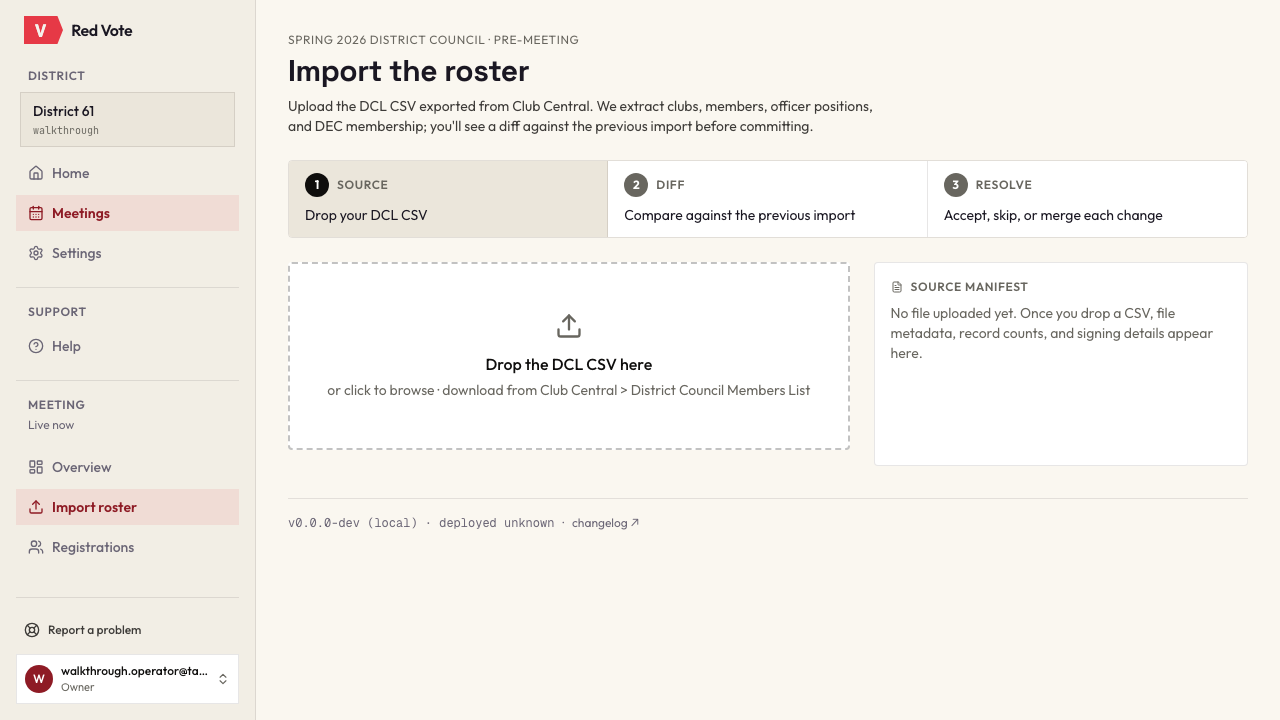
Drop in the District Council List, downloaded from District Central under Reports, District Council Report. Clubs, members, officer positions and DEC membership are read out of it, and you see what it would change on the roster — and what it could not use — before you click Finalize. Nothing reaches the roster until you do. Accented names survive the trip through Excel.
Who carries how many votes
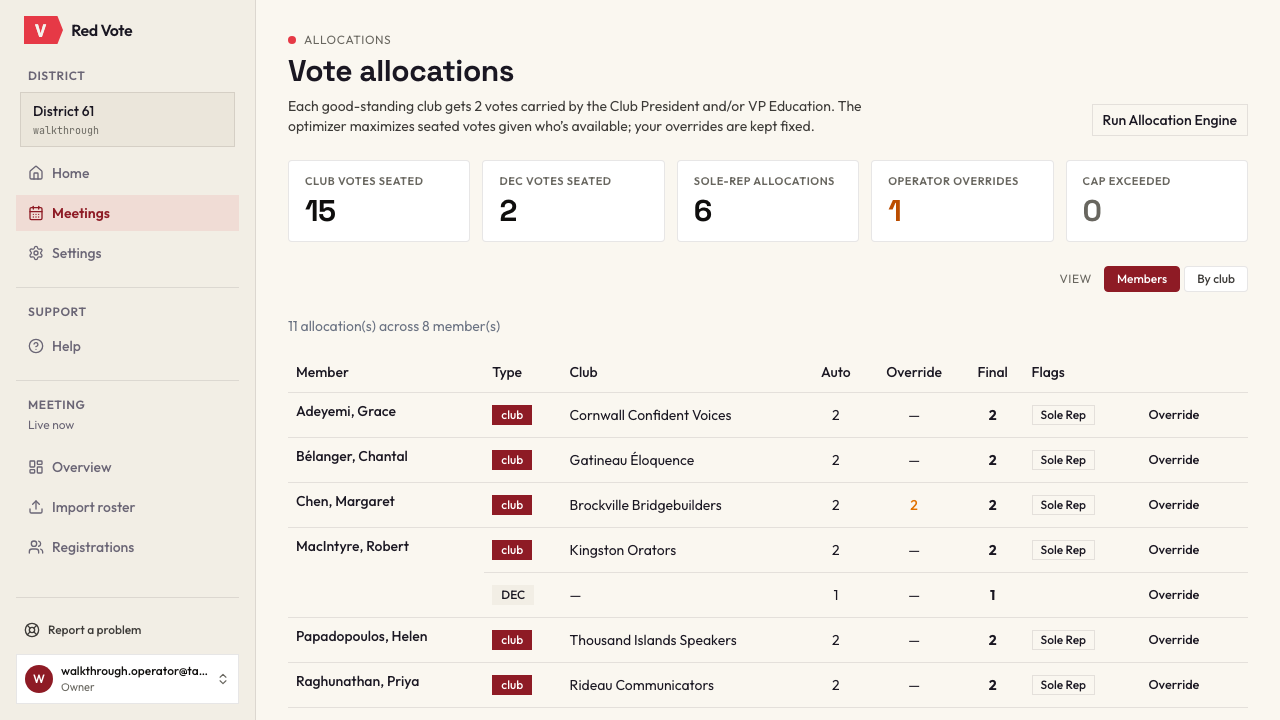
Two votes per club in good standing, carried by the president and the VP Education; a sole representative carries both; DEC votes are counted separately. The engine proposes, the operator can override, and every override is recorded with the reason typed against it. Where a club is seating fewer than its standing entitles it to, the page names the club and says why — a shortfall its own roster explains is a phone call to make, and one it does not is ours to look at.
Are we legal to proceed?
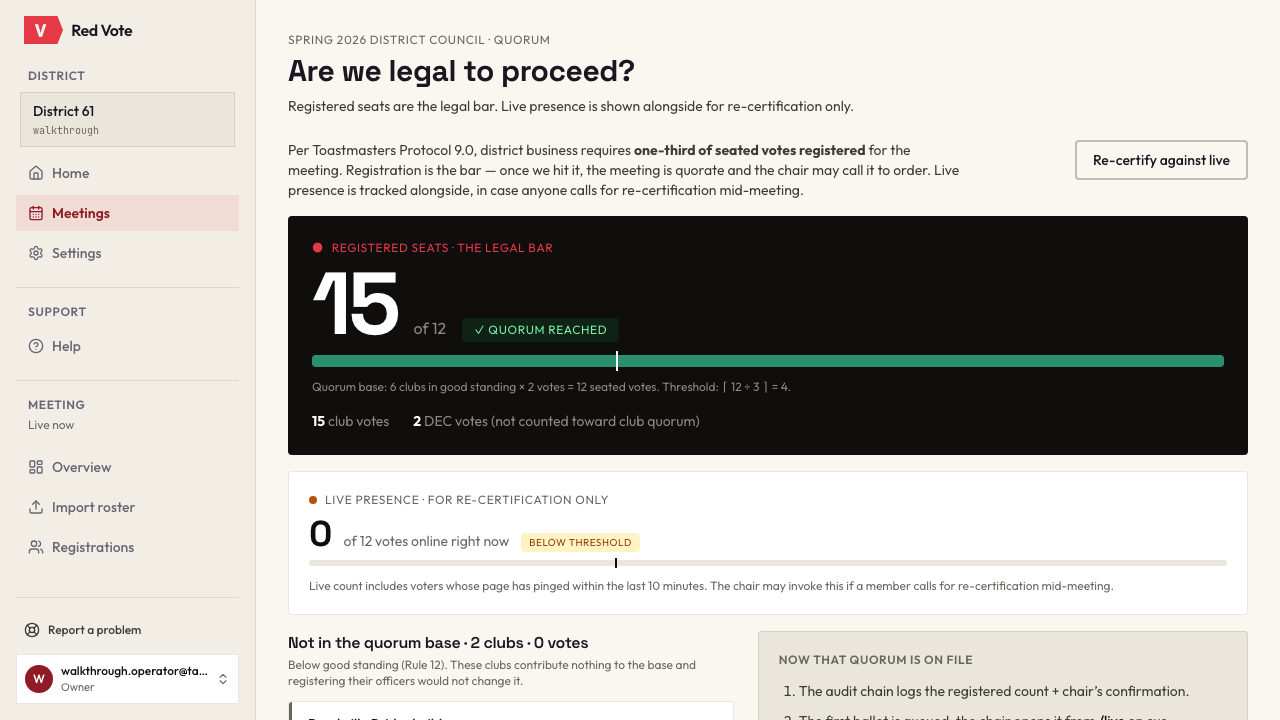
The quorum arithmetic is shown rather than asserted: the base, the threshold, the count, and the rule they come from. Quorum gets challenged at real meetings, and a chair who can point at the calculation ends the challenge.
Act two
What a member sees
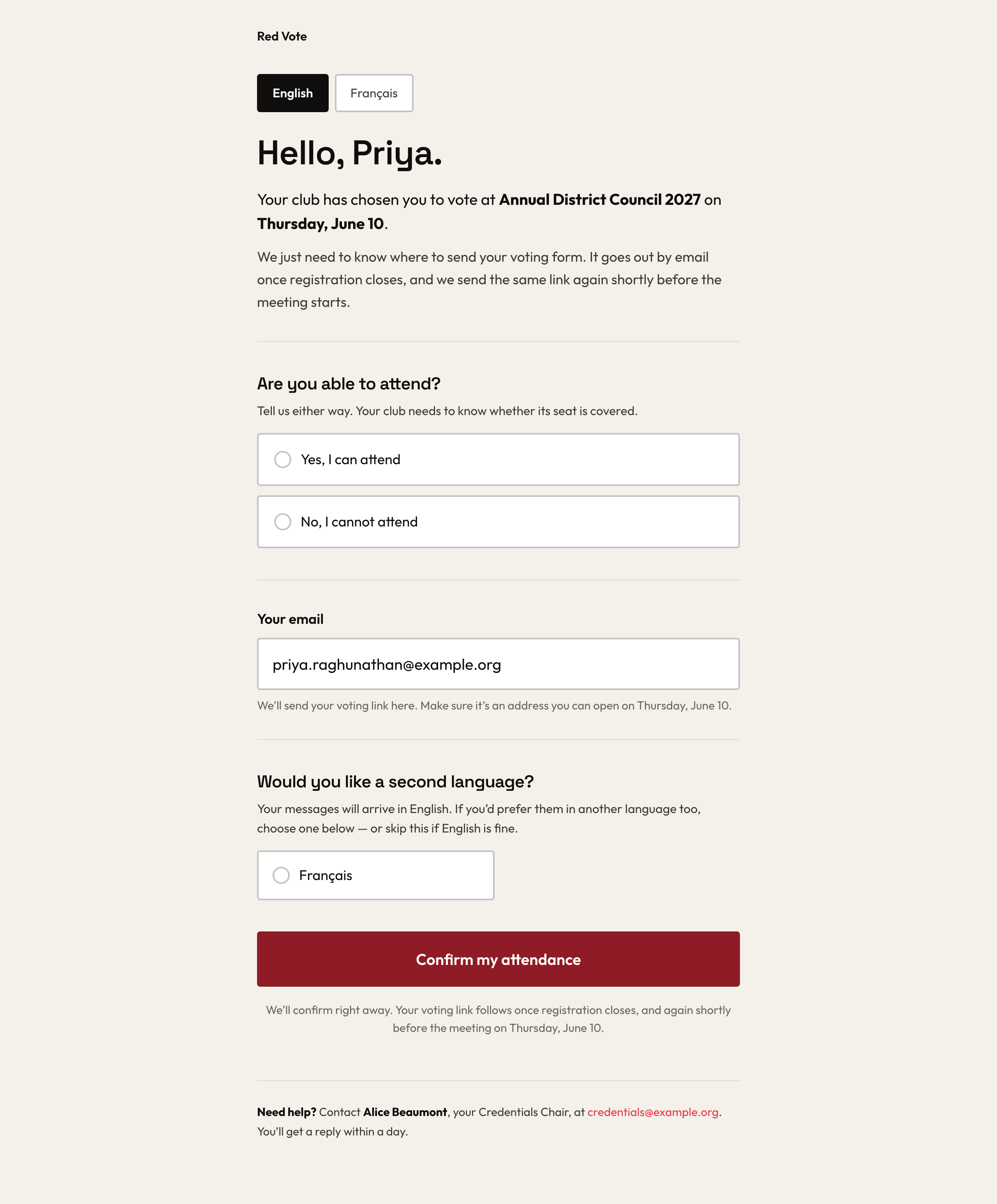
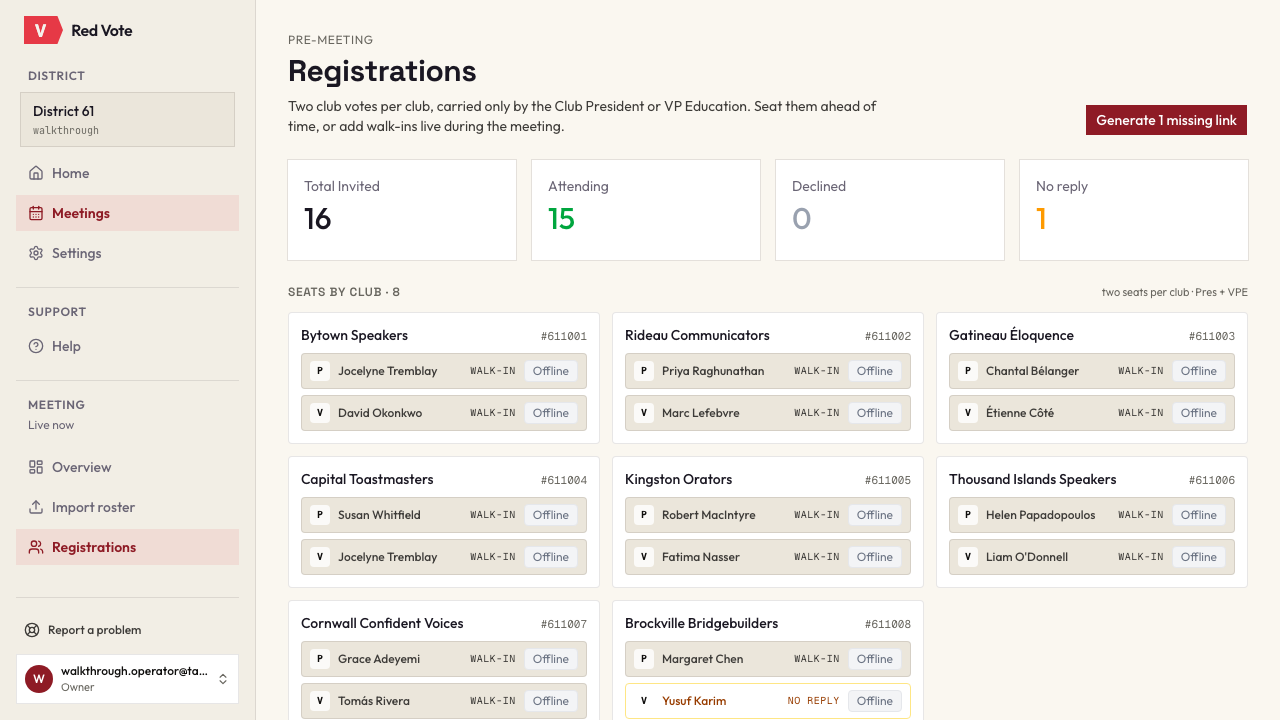
One link, addressed to them, with no account and no password behind it. The same link seen from the operator's side is the registration board.
One link, no account
The member gets a link addressed to them. They say whether they can attend, confirm where their voting link should go, and can add a second language — registering and voting in French is a real option for a district that needs it. No password, no app, no help desk.
Who has answered
The operator's side of the same link: two seats per club, who is ready, who is still pending, and who has no email at all. A member without an address is registered by the operator and handed their link another way — reforming districts have those members.
Act three
Meeting day
There is no button that starts the meeting. A meeting is live when its start time arrives, which removes the most common way a live vote goes wrong: nobody forgot to press anything.
The operator's control surface
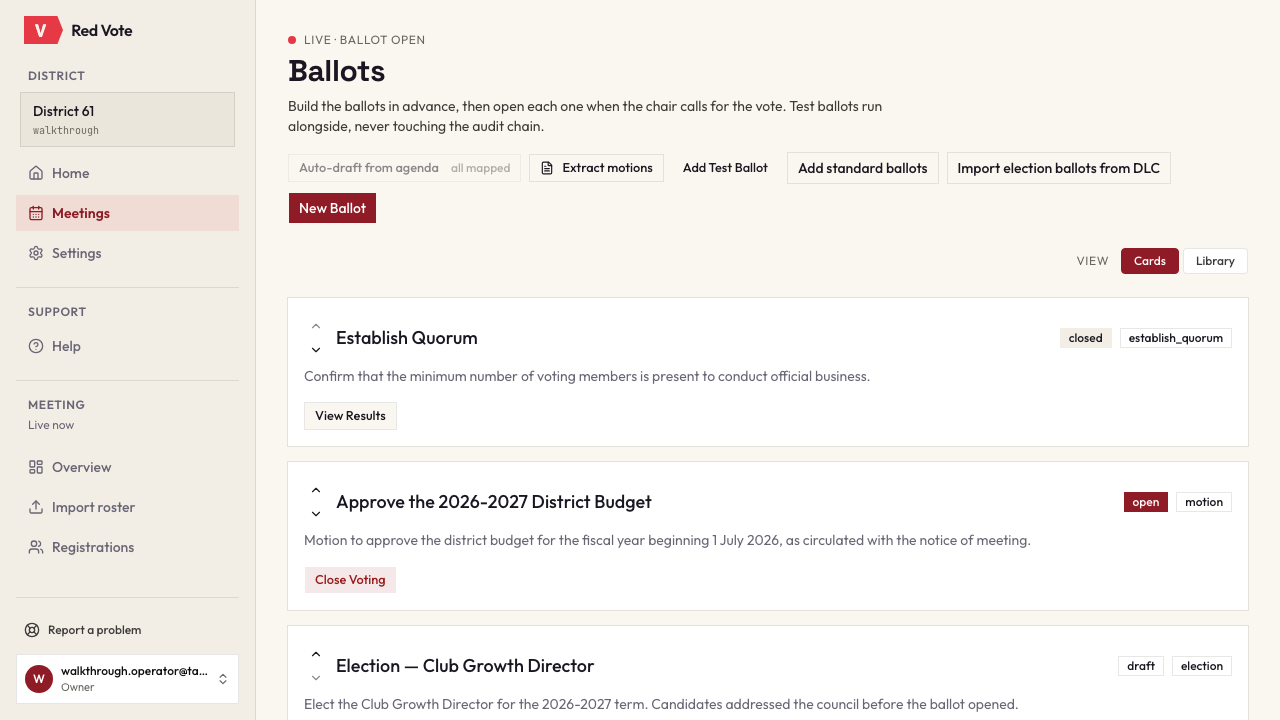
Ballots are built in advance, and the operator opens them one at a time as the chair calls each vote. Draft, open and closed sit in one list, and a test ballot can be run alongside the real ones without ever touching the audit chain. A vote stopped on a point of order, or an item the chair declares adopted by unanimous consent, is recorded as the thing that actually happened rather than forced through a ballot that did not.
The screen a voter actually uses
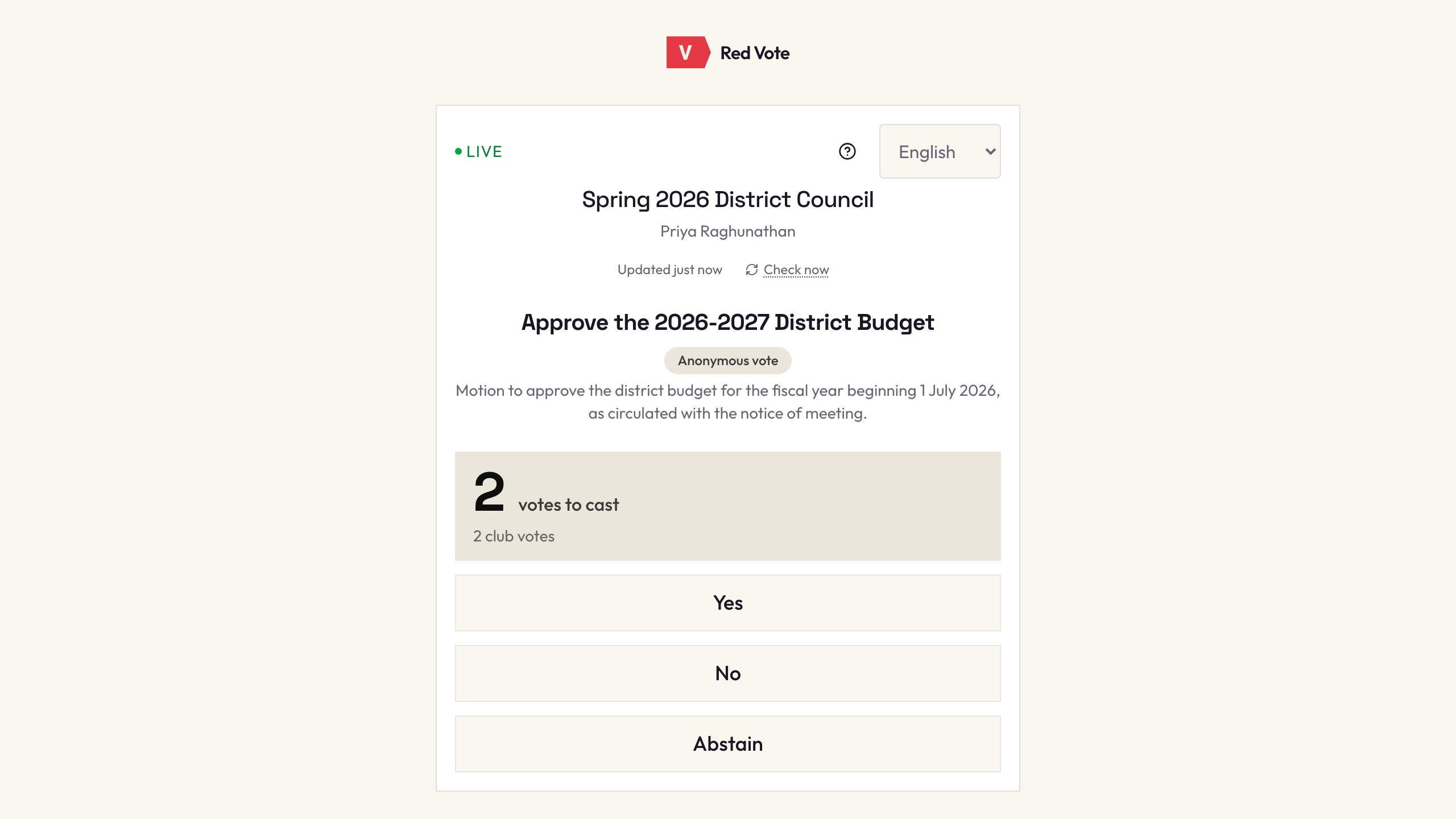
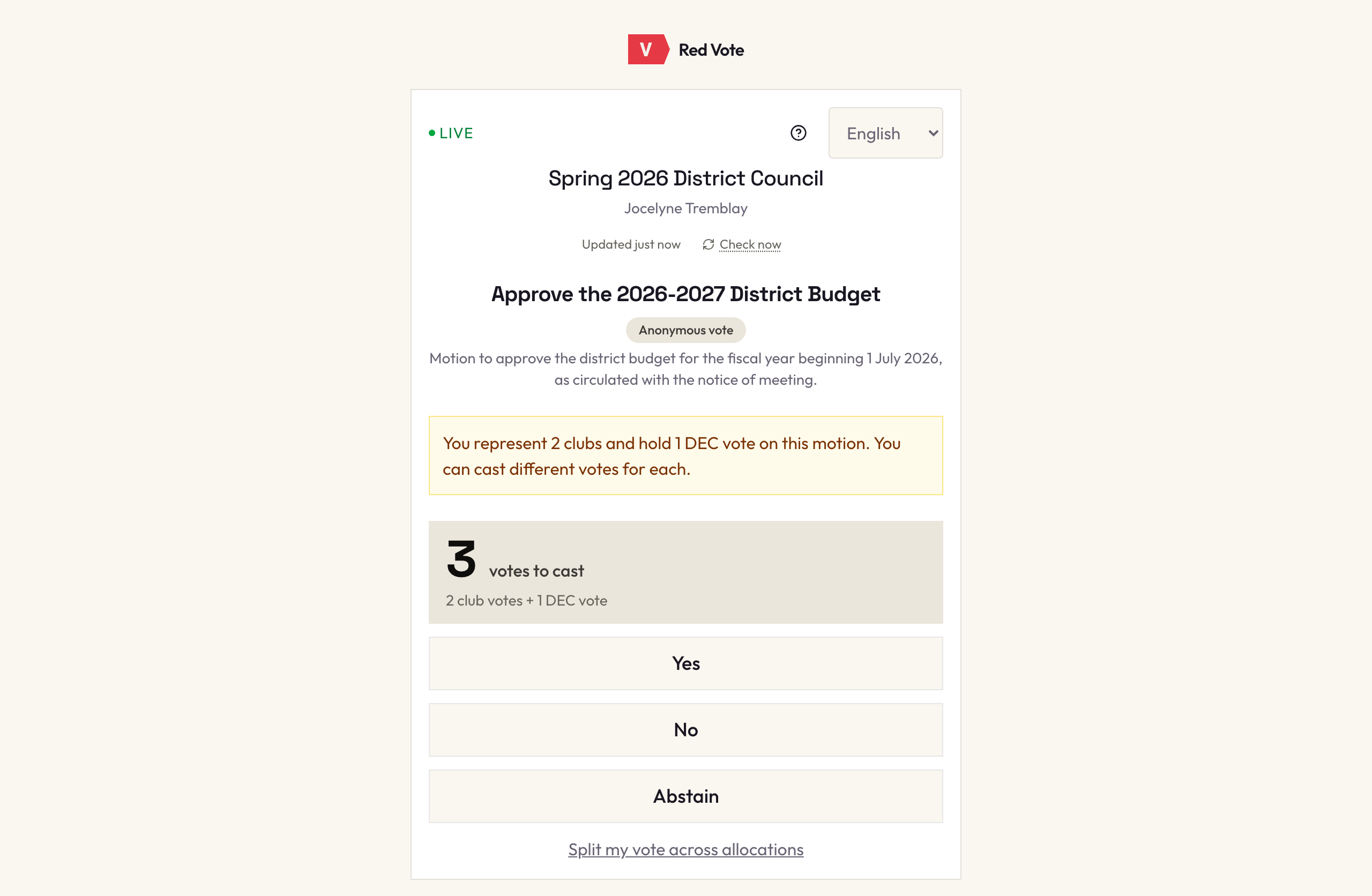
One card: the meeting, the motion, how many votes they hold, and three buttons. It is the most-used surface in the product and deliberately the plainest thing in it.
A member who represents more than one club
Someone carrying two club votes — one at each of two clubs — and a DEC vote may hold different instructions from each of them. Here they can split them. The incumbent tool chain forces one answer for all of a member's votes, which is not what the clubs decided.
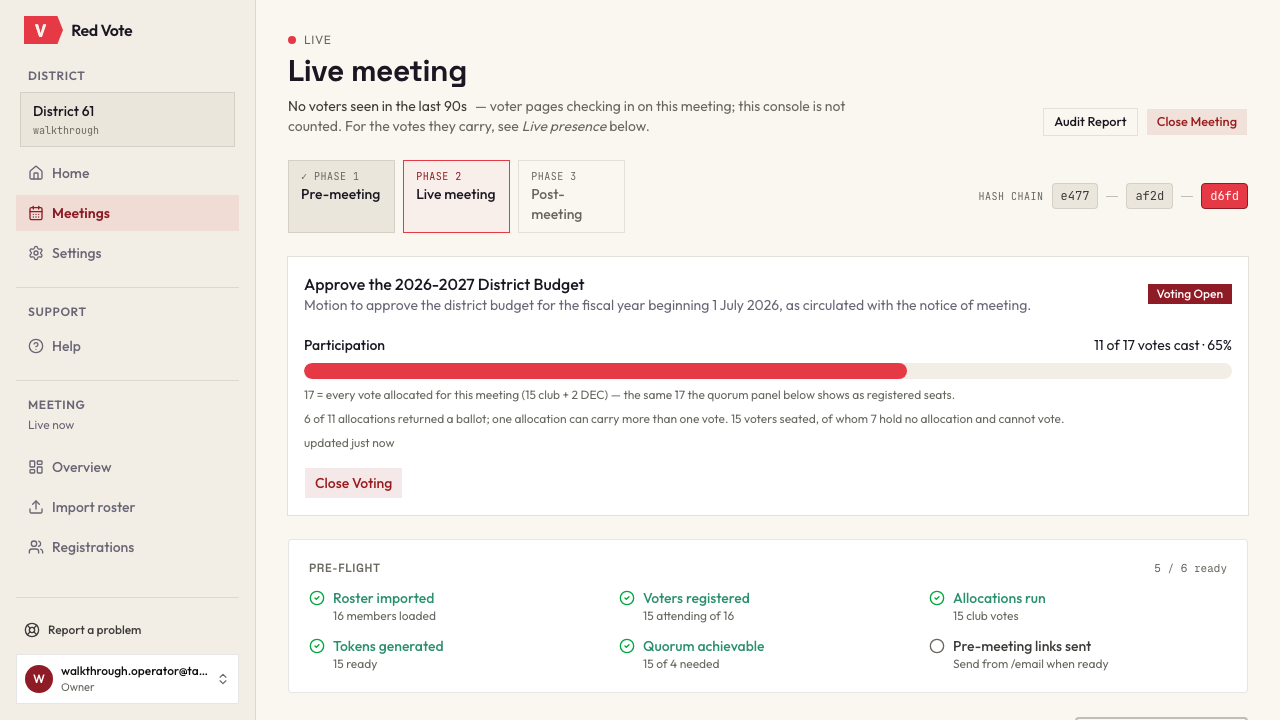
The operator's view while a vote is open
Pre-flight checks, the quorum panel and the last few links of the hash chain, on one screen. The figures keep up with the meeting on their own — nobody has to reload the page to see where the vote has got to.
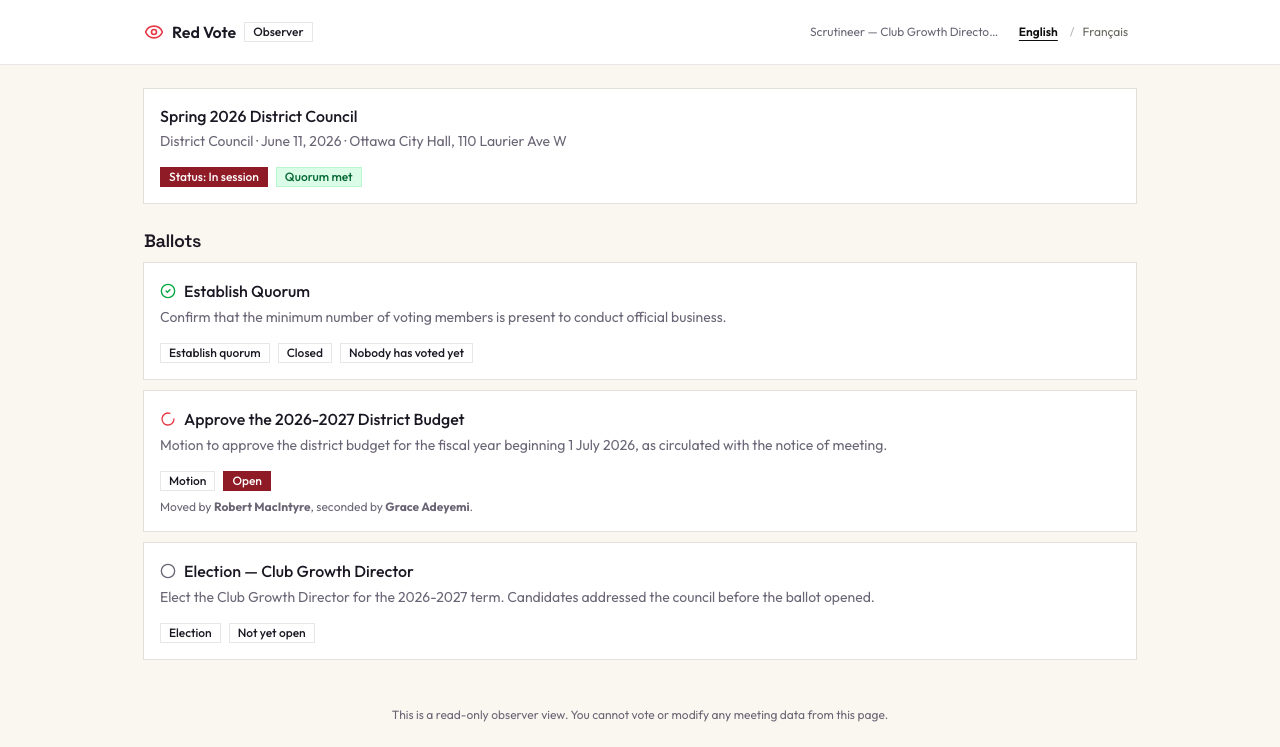
What the scrutineer sees
The same meeting, live, with no controls anywhere on the page. Ballot states and counts follow the disclosure mode the operator set for each ballot. The link is labelled and revocable, and it works until seven days after the meeting closes.
Act four
After the gavel
Most tools stop when the last ballot closes. The minutes, the certificate and the audit summary are generated from the record of what happened rather than re-typed from it.
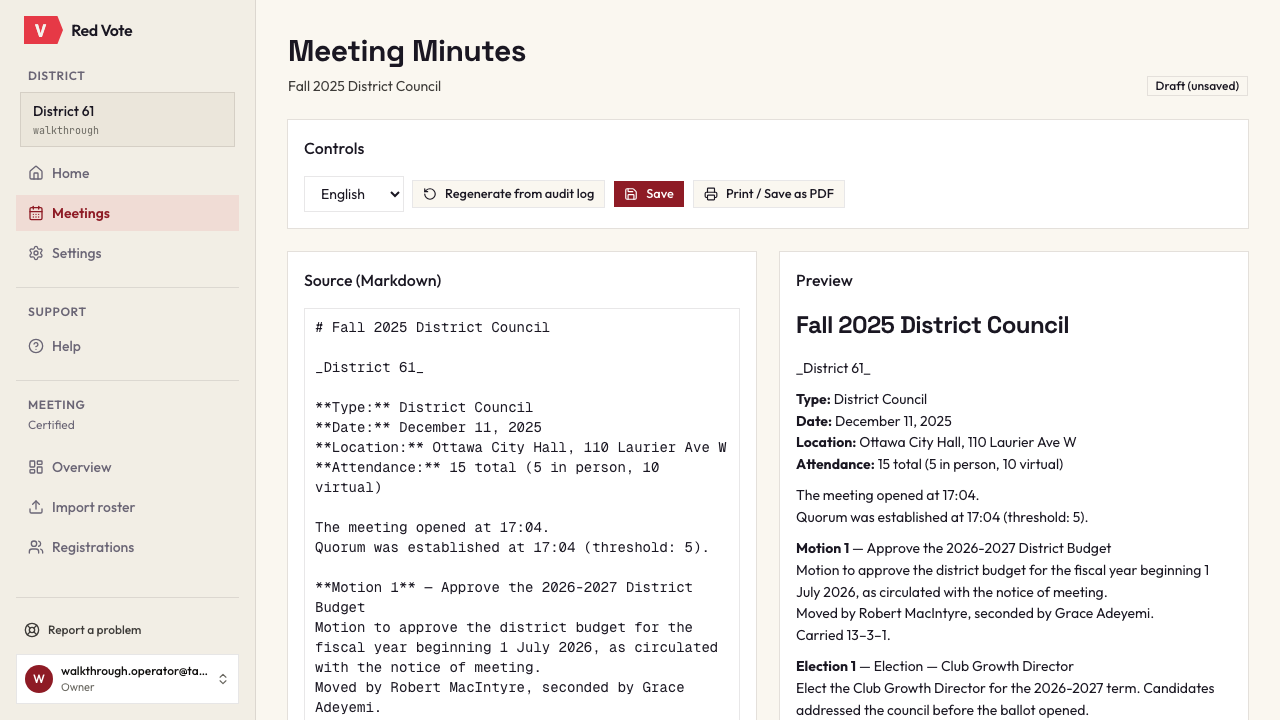
Minutes, generated
Opening time, the quorum declaration, each motion with its mover, seconder and result, and the adjournment — assembled from the audit log, and editable if the minutes secretary wants to add the discussion. The closing block names what certified the figures, prints the chain root they can be checked against, and leaves a blank line for the council to sign when it adopts them. Print or save as PDF.
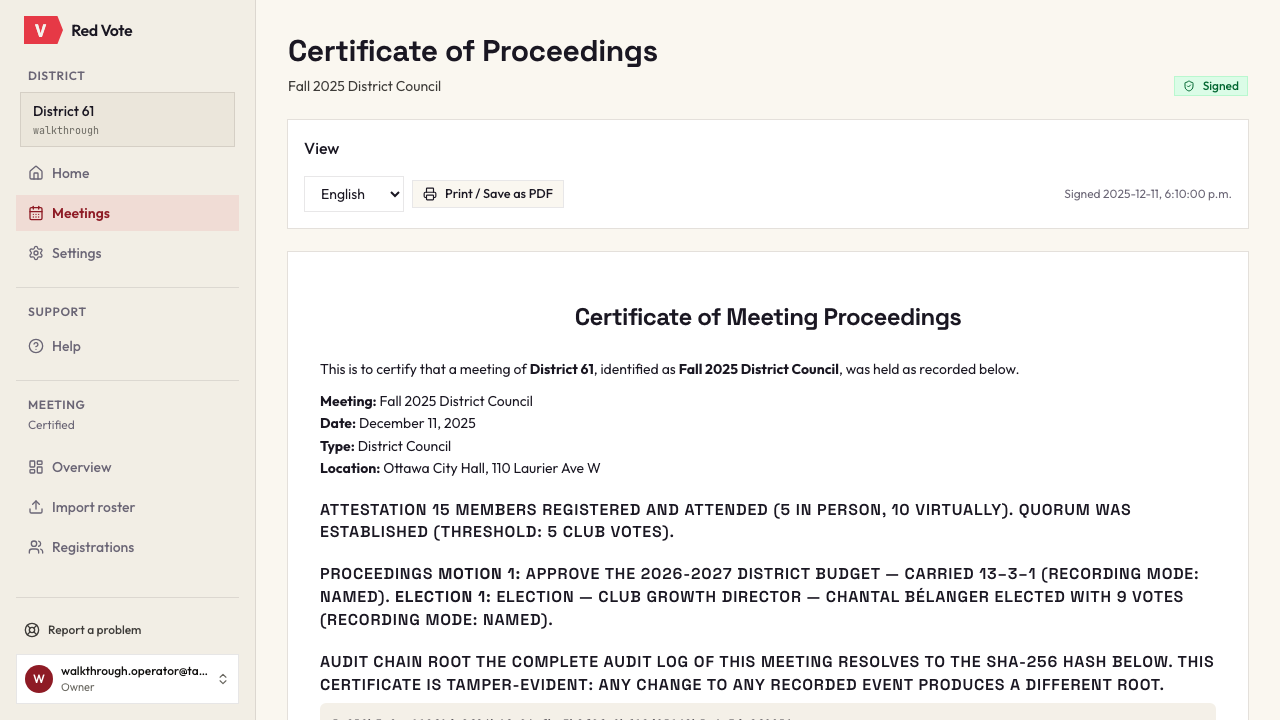
The signed certificate
The certificate attests the meeting and prints the SHA-256 root of its audit chain. Any change to any recorded event produces a different root, so an auditor a year later can replay the log and check that it still resolves to the number on the paper.
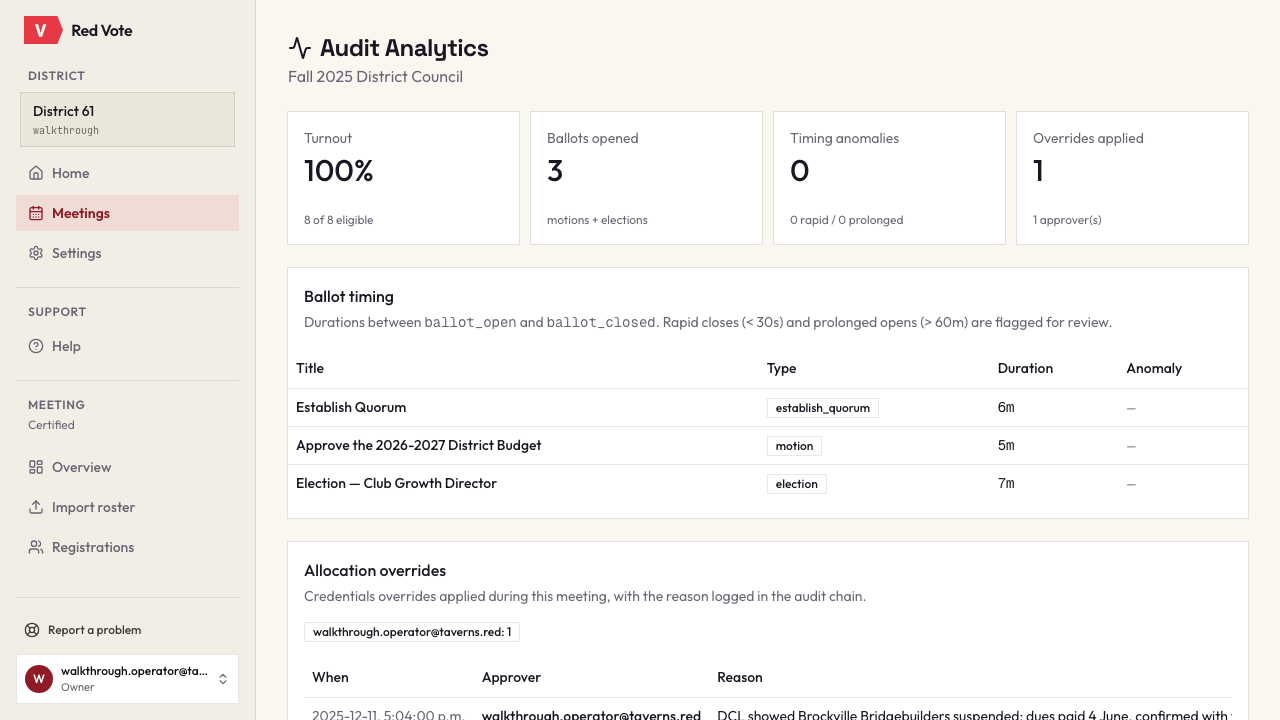
What an auditor would ask for
Turnout, per-ballot timing with the anomalies already flagged, and every allocation override with its approver and reason. A summary, instead of a five-hundred-line log.
Request access
Email vote@taverns.red and tell us:
- Your district number
- Your name and your district role — District Director, Program Quality Director, Club Growth Director, or credentials chair
- The email address you’d like the account under, if different from the one you’re writing from
- When your next council meeting is, roughly
We reply with an invitation link. Opening it creates your district and starts a 14-day trial.